



Add a header to begin generating the table of contents
SQL Transactions 101 🔐
(BEGIN, COMMIT, ROLLBACK — The Ultimate Trio)
Imagine you’re transferring money between two accounts.
You want this to happen safely and completely — or not at all.
That’s exactly what SQL transactions help you do.
Here’s a simple example:
BEGIN TRANSACTION;
UPDATE accounts
SET balance = balance – 100
WHERE account_id = 1;
UPDATE accounts
SET balance = balance + 100
WHERE account_id = 2;
COMMIT;
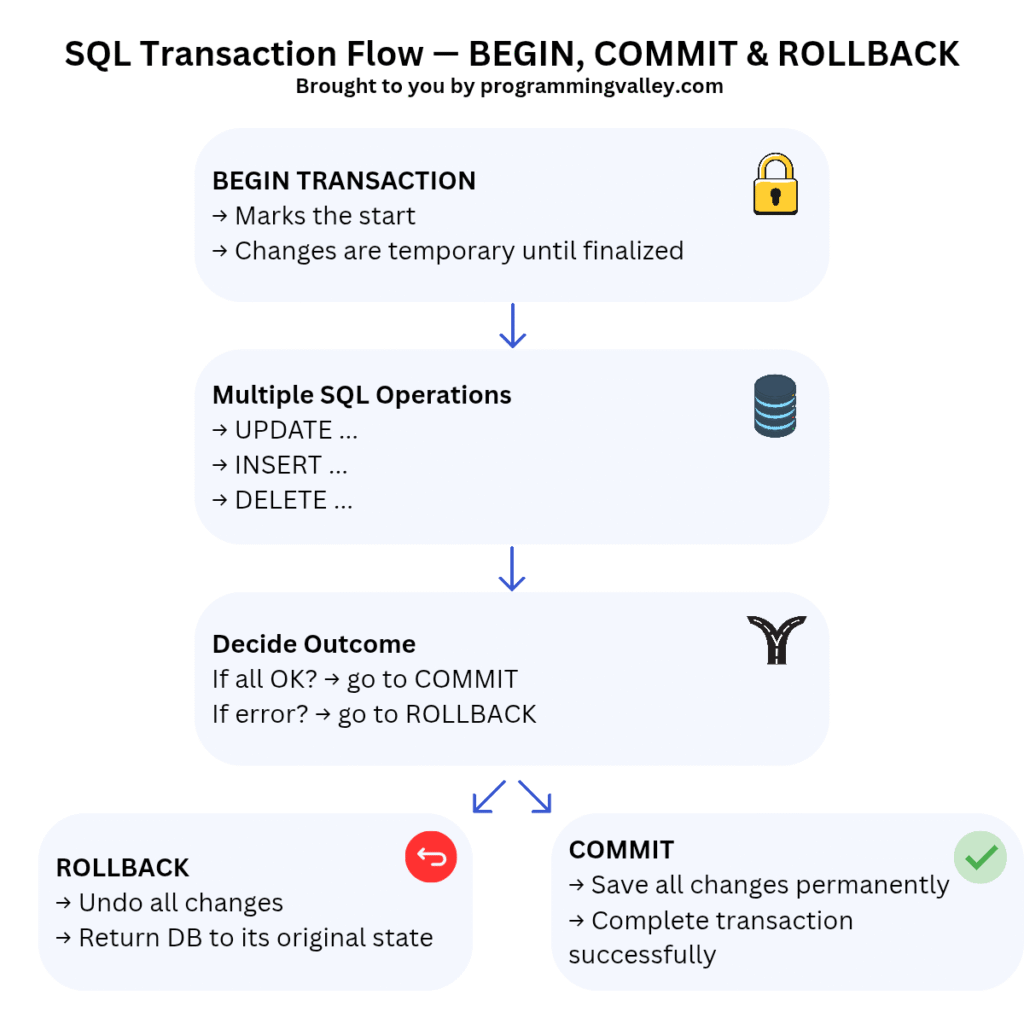
✅ BEGIN TRANSACTION — Starts the transaction.
→ From this point, all SQL changes are held temporarily.
→ Nothing is permanent until you say so.
✅ COMMIT — Finalizes the transaction.
→ Makes all changes permanent.
→ The transfer is completed successfully.
❌ ROLLBACK — Undoes all changes.
→ If an error happens at any point, ROLLBACK returns the database to its original state.
→ No partial updates — so data stays consistent.
When to use them?
→ Financial transactions
→ Order placement & inventory updates
→ Multi-step data imports
→ Any process that must fully succeed or not happen at all
Pro tip: Always put related updates in the same transaction.
That way you avoid partial updates and data inconsistencies!
👉 Want to master SQL transactions?
Check these courses:
→ IBM Data Science: https://programmingvalley.com/course/ibm-data-science-free-course/
→ SQL for Data Science: https://programmingvalley.com/course/sql-for-data-science-free-course/



No Comments